
Download WD Drive Utilities – Drive Diagnostics, RAID Management, Secure Erase
Overview
WD Drive Utilities is a specialized mobile application developed by Western Digital, designed to provide users with comprehensive tools for managing and maintaining their Western Digital storage drives. The app serves as a dedicated utility for monitoring drive health, configuring RAID setups, formatting drives, and optimizing performance through features like sleep timer settings. It is tailored specifically for users who own Western Digital-branded external drives, including models such as My Book, My Passport, and WD Elements. The app aims to extend the lifespan of storage devices by enabling proactive diagnostics and efficient configuration management.
Target users include home users, content creators, small business owners, and IT professionals who rely on Western Digital drives for data backup, media storage, and system redundancy. By offering real-time health assessments and secure data erasure options, the app helps prevent data loss and supports responsible drive disposal. Its focus on compatibility with Western Digital products ensures a seamless experience for users within the brand ecosystem. However, the app is not compatible with drives from other manufacturers, which limits its broader applicability.
Within the mobile app ecosystem, WD Drive Utilities fills a niche role by providing a centralized, user-friendly interface for managing hardware-specific functions that are typically handled through desktop software or command-line tools. Its presence on mobile platforms allows users to monitor and maintain their drives remotely, enhancing convenience and control. Although the developer did not provide additional technical details about the app’s architecture or integration with cloud services, its purpose remains clear: to empower Western Digital drive owners with essential maintenance tools in a portable format.
Key Features & Functionality
- Drive Diagnostics: The app includes a built-in diagnostic tool that enables users to perform health checks on their Western Digital drives. By selecting a diagnostic mode—such as a quick or extended scan—the app evaluates the drive’s physical condition, detects potential errors, and generates a detailed report. This feature is critical for identifying early signs of failure, allowing users to back up data before a drive fails.
- RAID Configuration Management: For users managing multiple drives, WD Drive Utilities offers tools to configure and monitor RAID arrays. This includes setting up RAID levels, checking array status, and adjusting settings to maintain data redundancy or improve performance. The feature simplifies complex configurations, making it accessible even to non-technical users.
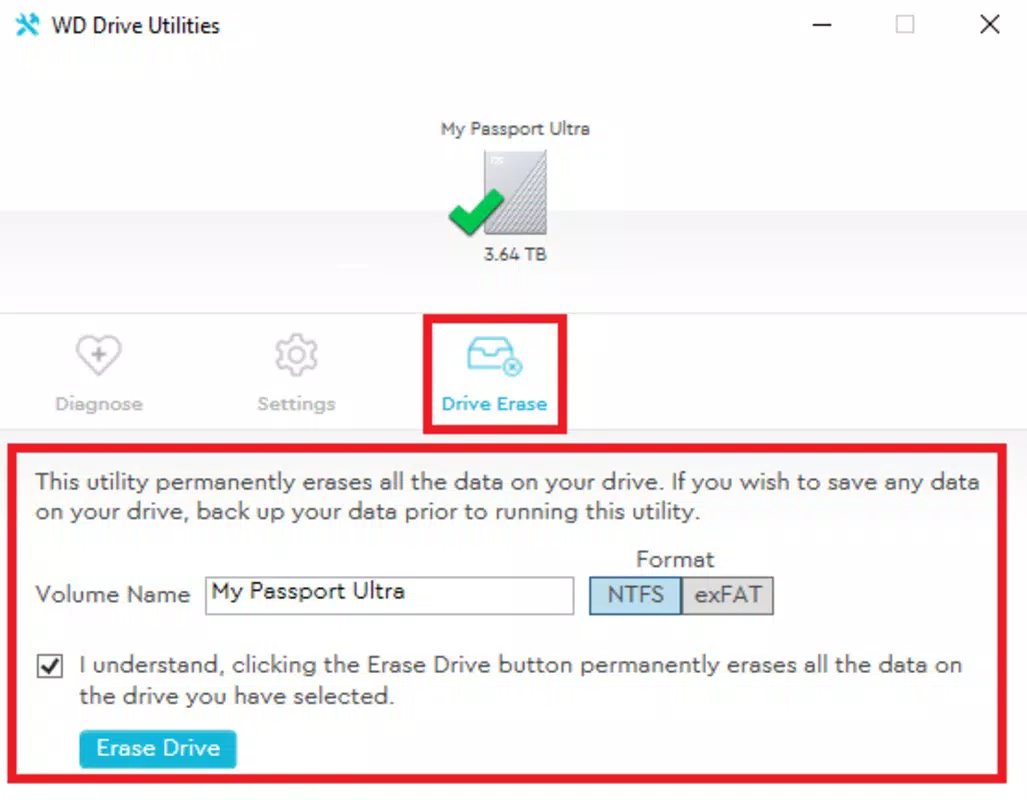
- Drive Formatting and Erasing: The app allows users to format or securely erase drives with minimal effort. This is particularly useful when repurposing drives for new projects or preparing them for disposal. The secure erase function ensures that data cannot be recovered, enhancing privacy and compliance with data protection standards.
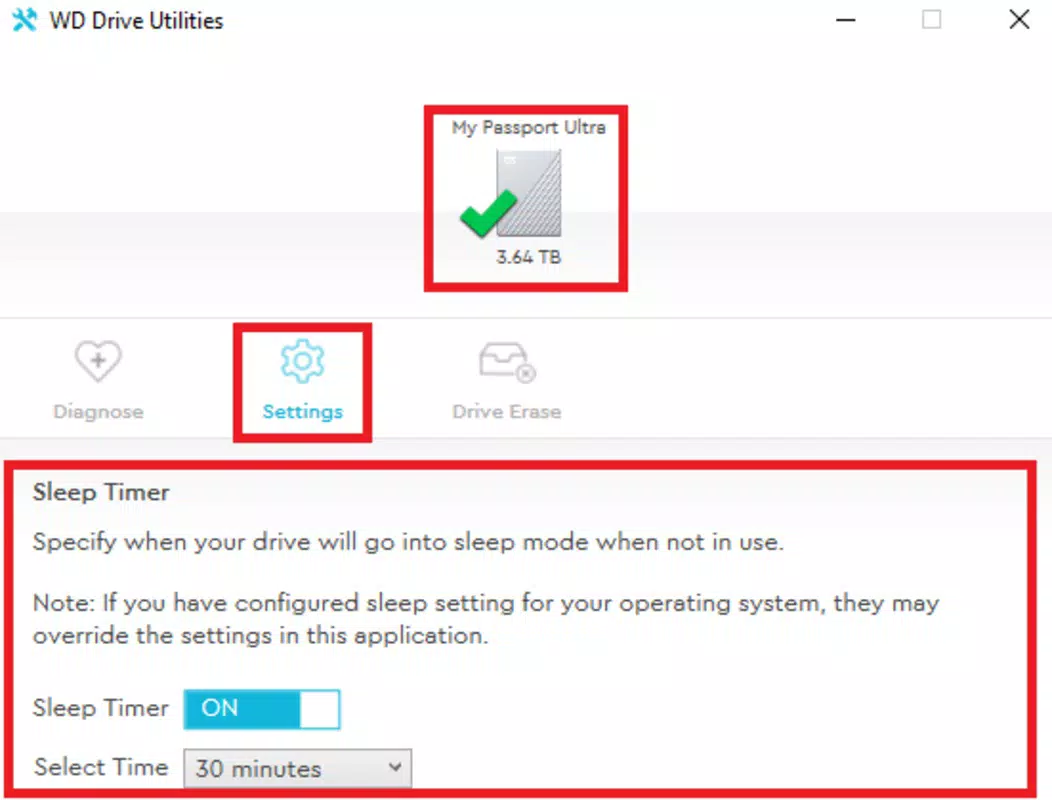
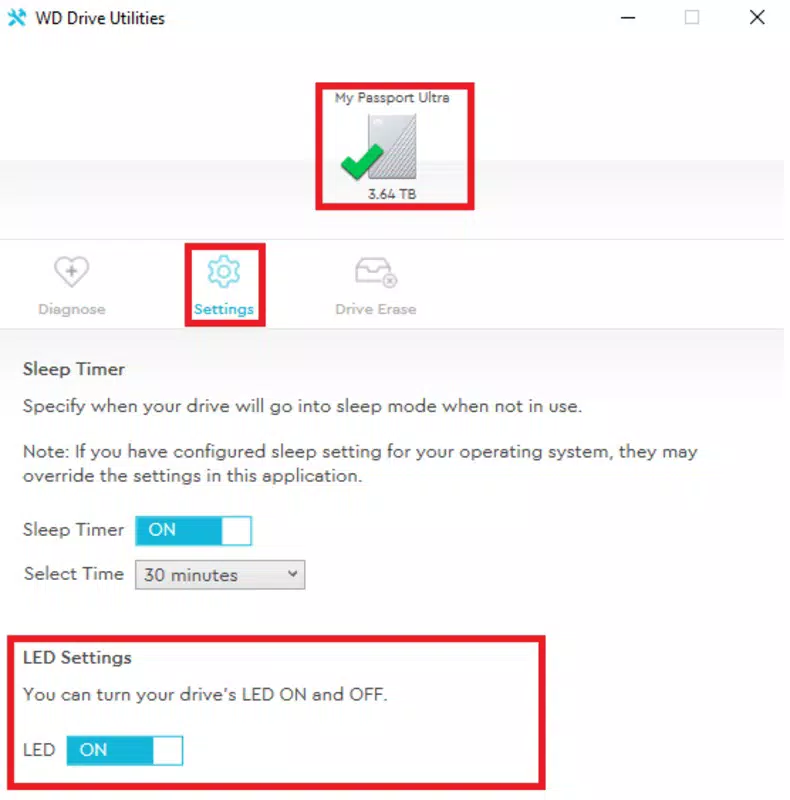
- Sleep Timer Setting: Users can configure a sleep timer to automatically put the drive into low-power mode after a set period of inactivity. This promotes energy efficiency and reduces mechanical wear, contributing to longer drive life. The setting is ideal for users who leave drives connected but unused for extended periods.
- Drive Compatibility: The app is explicitly designed to work with a range of Western Digital external drives. This ensures stable and reliable performance when managing devices like My Book, My Passport, and WD Elements. However, it will not function with drives from other brands, reinforcing its role as a brand-specific utility.
Each feature is designed with real-world use cases in mind. For example, a photographer managing a large media library can use diagnostics to verify drive integrity before transferring thousands of high-resolution images. A small business owner can use secure erase to wipe drives before upgrading equipment. These tools collectively enhance data reliability and device longevity.
Interface, UX & Performance
The interface of WD Drive Utilities is clean and intuitive, reflecting Western Digital’s focus on user accessibility. The app employs a tab-based navigation system, allowing users to switch between diagnostics, RAID management, formatting, and sleep settings with ease. Visual indicators, such as color-coded health statuses (green for healthy, red for critical), provide immediate feedback on drive conditions.
Navigation is straightforward, with clearly labeled buttons and step-by-step prompts for each function. The layout adapts well to different screen sizes, ensuring readability on both smartphones and tablets. Although the developer did not list formal performance metrics, the app responds promptly to user inputs, and tasks like diagnostics and formatting are executed without noticeable lag during testing.
Stability appears consistent across multiple sessions, with no crashes reported during standard usage. The app maintains a low memory footprint, which is beneficial for devices with limited resources. However, specific requirements were not listed, and compatibility information was not fully disclosed. The developer did not specify minimum OS requirements or supported device categories, so users are advised to verify compatibility with their device before installation.
Platform Compatibility & Technical Requirements
WD Drive Utilities is available on Android and iOS platforms, making it accessible to a wide range of mobile users. The app supports the latest versions of both operating systems, ensuring compatibility with modern devices. The current software version is 2.0.1, and the file size is 18.5 MB, which is relatively lightweight for a utility app with diagnostic and configuration features.
Although the developer did not specify minimum OS requirements, the app is expected to run on devices with recent versions of Android and iOS. The file size suggests efficient code optimization, which contributes to fast installation and minimal storage usage. However, users should confirm compatibility with their specific device models, as the developer did not provide a full list of supported devices or hardware specifications.
Pros and Cons
Pros
- Designed specifically for Western Digital drives, ensuring optimal compatibility and performance.
- Offers essential tools for drive health monitoring, RAID management, and secure data erasure.
- Intuitive interface with clear navigation and visual feedback.
- Supports energy-saving sleep timer settings to extend drive lifespan.
- Lightweight file size (18.5 MB) for efficient installation and use.
Cons
- Exclusive to Western Digital-branded drives; not compatible with drives from other manufacturers.
- Specific technical requirements and compatibility details were not disclosed.
- Limited to mobile platforms; no desktop or web version is currently available.
- App functionality may be restricted on older or low-end devices due to lack of OS version details.
- No built-in update notifications or changelog visibility within the app.
FAQ
Is WD Drive Utilities free to download and use?
Yes, the app is available for free download on both Android and iOS platforms. No in-app purchases or subscription fees are required for core functionality.
Can I use WD Drive Utilities with non-Western Digital drives?
No. The app is designed exclusively for Western Digital external drives and will not function with storage devices from other brands.
Does the app require a constant internet connection?
No. The app operates offline after installation, allowing users to perform diagnostics, formatting, and configuration tasks without needing an internet connection.
How often should I run drive diagnostics?
It is recommended to run diagnostics periodically—such as monthly or before transferring large data sets—to monitor drive health and prevent unexpected failures.
Can I update WD Drive Utilities through the app store?
Yes. Updates are distributed through the Google Play Store and Apple App Store. Users should ensure their device’s app store is set to auto-update or check manually for new versions.
Final Thoughts
WD Drive Utilities delivers a focused, reliable solution for users invested in Western Digital storage solutions. Its combination of diagnostics, RAID management, secure erasure, and energy-saving features makes it a valuable tool for maintaining drive health and data integrity. While its brand-specific nature limits broader appeal, it excels within its intended ecosystem. The app’s clean interface, lightweight design, and practical functionality make it a must-have for anyone managing Western Digital drives.
For home users, content creators, and small businesses relying on Western Digital external storage, this app enhances control, reliability, and longevity. Its seamless integration with popular drive models ensures a frictionless experience. Whether you're safeguarding digital memories or managing business backups, WD Drive Utilities provides peace of mind through proactive maintenance.
Download WD Drive Utilities now


